
Optimize Your Fuel Economy with ECU Tuning
Tuning your car’s Engine Control Unit might sound like something only professional shops should handle. But the truth is, with the right equipment, any dedicated driver can start optimizing their vehicle for better fuel economy. Some modern diagnostic scanners can reveal engine performance data within seconds and even flag inefficiencies if fuel trim values wander outside the +/- 10 percent range. You might assume the technical nature makes this process intimidating. Actually, understanding your car’s hidden electronic tweaks could reveal surprising savings every time you hit the gas pedal.
Table of Contents
- Step 1: Assess Your Vehicle’s Current ECU Settings
- Step 2: Select The Appropriate Tuning Software And Tools
- Step 3: Modify ECU Parameters For Fuel Efficiency
- Step 4: Upload The Tuned ECU File To Your Vehicle
- Step 5: Test And Monitor Vehicle Performance After Tuning
Quick Summary
| Key Point | Explanation |
|---|---|
| 1. Conduct a thorough ECU assessment | Use an OBD-II scanner to diagnose current performance metrics and identify fuel efficiency improvement areas. |
| 2. Choose compatible tuning software | Select tuning software that matches your vehicle’s make and model to avoid damaging your ECU. |
| 3. Adjust fuel maps strategically | Optimize air-fuel ratios and ignition timing for better fuel economy, focusing on low to medium load scenarios. |
| 4. Upload ECU file carefully | Ensure a stable connection and verify settings before transferring the tuned ECU file to prevent errors. |
| 5. Monitor performance post-tuning | Track fuel consumption and engine behavior over time to validate improvements and adjust as needed. |
Step 1: Assess Your Vehicle’s Current ECU Settings
Assessing your vehicle’s current Engine Control Unit (ECU) settings is the critical first step toward optimizing fuel economy through intelligent tuning. This initial diagnostic phase provides a comprehensive baseline understanding of your vehicle’s existing performance parameters and potential optimization opportunities.
Start by connecting a professional OBD-II diagnostic scanner to your vehicle’s onboard diagnostic port, typically located beneath the dashboard on the driver’s side. Modern scanning tools will provide real-time data streams revealing crucial performance metrics like fuel trim values, engine load, air-fuel ratios, and current ECU calibration settings. Learn how to read ECU data with our comprehensive guide to ensure you capture the most accurate information.
Pay special attention to several key diagnostic indicators that signal potential fuel economy improvement areas. Look for inconsistent fuel trim values, which might indicate inefficient fuel management. Examine your vehicle’s long-term and short-term fuel trims (LTFT and STFT), with values consistently outside the +/- 10% range suggesting the ECU might benefit from recalibration. Oxygen sensor voltage readings and manifold absolute pressure (MAP) sensor data also provide critical insights into current engine performance.
Documenting these initial readings creates a valuable reference point for comparing performance before and after ECU tuning. Capture screenshots or export the diagnostic report, noting the vehicle’s current mileage, ambient temperature, and driving conditions. These details will help you track the precise impact of subsequent ECU modifications and ensure your tuning efforts genuinely improve fuel efficiency.
While performing your assessment, consider potential variations based on your specific vehicle make and model. Diesel engines, for instance, might display different diagnostic parameters compared to gasoline vehicles. Professional tuners recommend multiple diagnostic sessions under varied driving conditions to generate a comprehensive performance profile.
Successful completion of this assessment phase means you have a clear, data-driven understanding of your vehicle’s current ECU configuration. You’re now prepared to move forward with targeted, intelligent ECU tuning strategies designed to optimize fuel economy and overall engine performance.
Step 2: Select the Appropriate Tuning Software and Tools
Selecting the right tuning software and tools is a pivotal moment in your ECU optimization journey, directly impacting your ability to achieve meaningful fuel economy improvements. This step requires careful consideration of compatibility, functionality, and precision to ensure successful vehicle performance enhancement.
Begin by identifying software that matches your specific vehicle’s make, model, and ECU architecture. Professional-grade tuning platforms like WINOLS and KESSv2 offer robust capabilities for comprehensive ECU file management. Compatibility is crucial – an incorrect software selection can potentially damage your vehicle’s electronic systems or void warranties.
Invest in a high-quality OBD-II interface that supports advanced diagnostic and tuning protocols. Look for interfaces with broad vehicle model support and real-time data logging capabilities. Check our guide on understanding minimum system requirements to ensure your hardware meets professional tuning standards. Professional-grade interfaces like the AUTOTUNER or MPPS V18 provide reliable connections and extensive vehicle coverage.
Below is a comparison table of popular ECU tuning software and OBD-II interface tools mentioned in the guide, outlining their compatibility and main uses for optimizing your vehicle’s fuel economy.
| Tool / Software | Compatibility | Main Purpose |
|---|---|---|
| WINOLS | Broad (varies by version) | ECU file management and detailed fuel map editing |
| KESSv2 | Wide OEM support | ECU remapping, reading/writing ECU files |
| AUTOTUNER | Extensive vehicle coverage | Professional ECU programming and secure connections |
| MPPS V18 | Many makes and models | ECU flashing and data logging |
| High-quality OBD-II | Must match vehicle protocols | Real-time diagnostics, data logging, parameter editing |
Consider your technical expertise when selecting tools. Beginners might prefer user-friendly platforms with guided tuning workflows, while experienced tuners may opt for more complex software offering granular parameter adjustments. Some advanced platforms provide comprehensive feature sets including:
- Realtime data monitoring
- Precise fuel trim adjustments
- Advanced ignition timing modifications
- Comprehensive logging and analysis capabilities
Verify your selected software’s ability to generate safe, reversible ECU maps. Reputable tuning platforms should offer backup and restore functionalities, allowing you to revert to stock settings if needed. This safety mechanism protects your vehicle from potential misconfiguration risks.
Additionally, consider ongoing software support and update frequencies. Choose platforms with active developer communities, regular firmware updates, and responsive technical support. Professional tuning software should provide consistent compatibility with emerging vehicle models and ECU technologies.
Successful completion of this step means you have a carefully selected, professionally appropriate set of tuning software and hardware tools matched precisely to your vehicle’s specific requirements. You are now prepared to move forward with confident, informed ECU optimization strategies.
Step 3: Modify ECU Parameters for Fuel Efficiency
Modifying ECU parameters represents the most critical phase in optimizing your vehicle’s fuel economy, requiring precision, technical knowledge, and a strategic approach to engine performance calibration. This step transforms raw diagnostic data into actionable fuel efficiency improvements through intelligent parameter adjustments.
Fuel map optimization demands meticulous attention to multiple interconnected variables. Focus initially on adjusting the air-fuel ratio across different engine load conditions, targeting a leaner mixture that maintains optimal combustion efficiency. By carefully reducing unnecessary fuel enrichment during steady-state driving and partial throttle scenarios, you can achieve significant fuel consumption reductions. Learn more about maximizing fuel efficiency strategies to guide your tuning approach.
Carefully manipulate throttle response and ignition timing parameters to create a more economical engine performance profile. Subtle modifications to these settings can reduce unnecessary fuel consumption without compromising overall vehicle responsiveness. Professional tuners recommend incremental adjustments, typically reducing fuel enrichment by 5-10% in low to medium load conditions where most daily driving occurs.
Pay special attention to these critical parameter adjustment zones:
- Cruise and light acceleration ranges
- Partial throttle engine loads
- Steady-state highway driving conditions
- Low RPM operational zones
Each vehicle presents unique characteristics, so a one-size-fits-all approach is ineffective. Utilize your vehicle’s diagnostic data from the previous assessment step to create custom fuel maps tailored to your specific driving patterns and environmental conditions. Professional tuning solutions can help fine-tune these parameters with precision.
Understanding the delicate balance between fuel efficiency and performance is crucial. Aggressive lean tuning can potentially damage engine components or reduce overall vehicle responsiveness. Professional tuners recommend conservative initial modifications, typically staying within manufacturer-recommended parameter ranges.
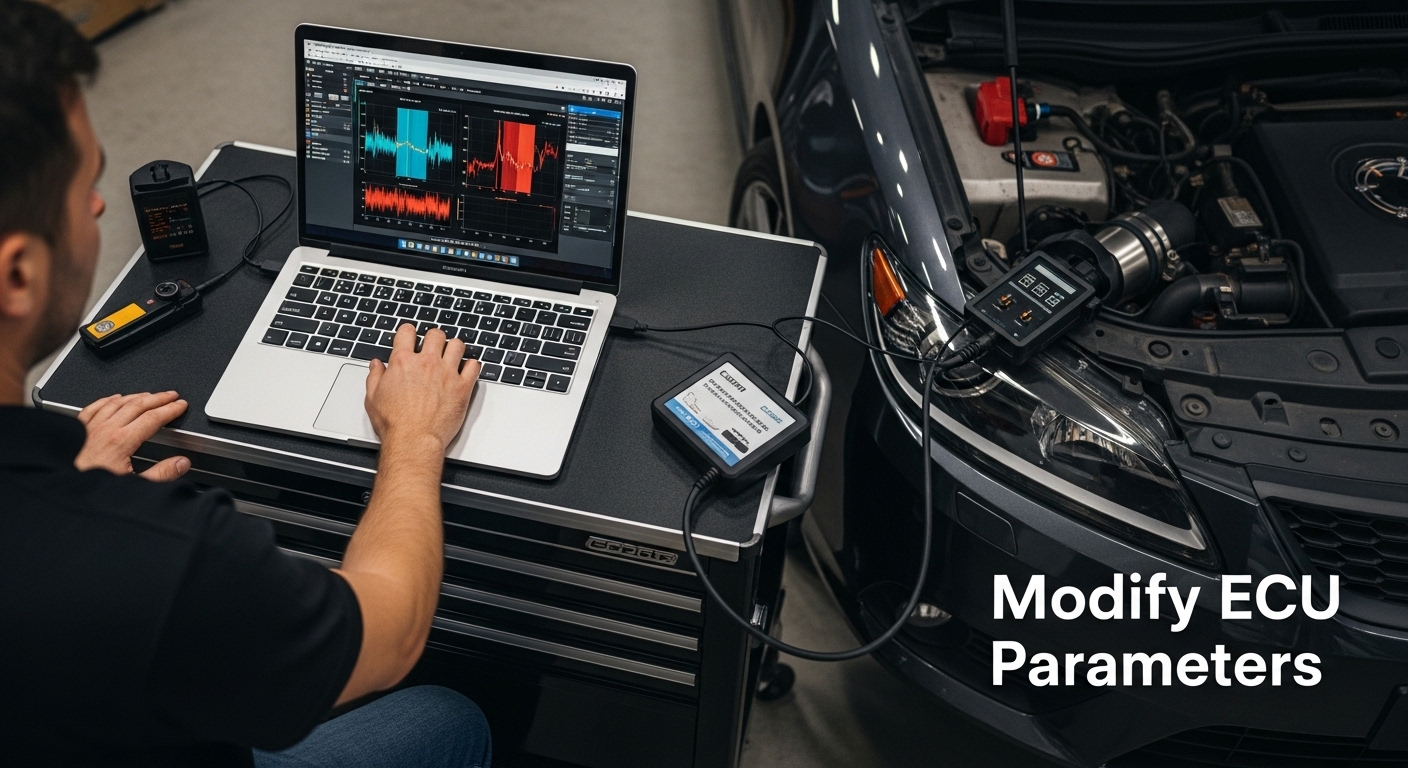 Research confirms that precise ECU adjustments can yield measurable fuel efficiency improvements when implemented carefully.
Successful parameter modification means achieving a harmonious balance between reduced fuel consumption and maintained engine performance. Verify your adjustments through multiple test drives under varied conditions, monitoring real-world fuel economy improvements and ensuring no adverse effects on vehicle drivability.
Step 4: Upload the Tuned ECU File to Your Vehicle
Uploading your meticulously crafted ECU file represents the pivotal moment where theoretical optimization transforms into tangible vehicle performance improvements. This critical step requires precision, careful preparation, and methodical execution to ensure successful file transfer and system integration.
Prepare your vehicle and tuning equipment by establishing a stable electrical environment. Disconnect auxiliary electrical loads such as stereo systems, smartphone chargers, and aftermarket accessories that might interrupt the upload process. Ensure your vehicle’s battery maintains a consistent voltage above 12.5 volts throughout the file transfer to prevent potential system interruptions or data corruption.
Learn about professional ECU file transfer protocols to understand the nuanced requirements of your specific vehicle model. Connect your professional-grade OBD-II interface directly to the vehicle’s diagnostic port, confirming a secure and uninterrupted connection. Modern tuning interfaces often require specific communication protocols that vary between vehicle manufacturers.
Initiate the file upload process by selecting your previously prepared tuned ECU configuration within your tuning software. Carefully verify the following critical parameters before confirming the transfer:
- Exact vehicle make and model match
- Precise ECU hardware version
- Software version compatibility
- Backup of original stock configuration
Maintain absolute concentration during the file upload, as interruptions can potentially render your vehicle’s ECU non-functional. The transfer process typically requires 5-15 minutes, depending on the complexity of your tuned file and vehicle system architecture. Professional diagnostic research confirms that direct, uninterrupted file transfers minimize potential system complications.
After successful upload, perform an immediate system verification.
Restart your vehicle and monitor the dashboard for any unexpected warning lights or error codes. Use your OBD-II scanner to confirm that all system parameters have been correctly integrated and that no fault codes are present. A successful upload will demonstrate smooth engine operation, consistent idle behavior, and immediate responsiveness across different driving conditions.
Remember that this upload represents the culmination of your careful diagnostic work and parameter optimization. Patience and precision during this final step ensure that your fuel economy tuning efforts translate into real-world performance improvements.
Step 5: Test and Monitor Vehicle Performance After Tuning
Testing and monitoring your vehicle’s performance after ECU tuning represents the critical validation phase that transforms theoretical optimization into measurable real-world fuel economy improvements. This step demands systematic observation, precise data collection, and a methodical approach to assessing the effectiveness of your tuning efforts.
Begin with a comprehensive baseline comparison by carefully tracking your vehicle’s fuel consumption before and after tuning. Use a reliable fuel tracking method, preferably a dedicated fuel consumption tracking app or a meticulously maintained logbook. Learn more about advanced automotive data logging techniques to ensure accurate performance documentation.
Conduct a series of controlled driving tests across various conditions to comprehensively evaluate your ECU tune. Execute multiple test drives including city driving, highway cruising, and mixed-condition routes. Pay close attention to subtle changes in vehicle responsiveness, acceleration smoothness, and overall engine behavior. Document specific metrics such as miles per gallon, average speed, and instantaneous fuel consumption during each test drive.
Utilize your OBD-II diagnostic tool to continuously monitor critical performance parameters:
- Real-time fuel trim values
- Engine load percentage
- Air-fuel ratio
- Oxygen sensor readings
- Manifold absolute pressure
Warning signs requiring immediate attention include persistent check engine lights, irregular idle behavior, reduced engine responsiveness, or significant deviation from expected fuel economy improvements. These indicators might suggest the need for fine-tuning or potential rollback to the original ECU configuration.
Implement a gradual monitoring approach spanning several weeks to capture comprehensive performance data. Most fuel economy improvements become fully apparent after 500-1000 miles of varied driving conditions. Professional tuners recommend maintaining detailed logs documenting fuel consumption, driving patterns, and any observed performance variations.
Consider professional diagnostic support if you encounter persistent performance anomalies. Many automotive performance shops offer post-tuning verification services that can provide objective analysis of your ECU modifications. The goal is achieving a harmonious balance between improved fuel efficiency and maintained vehicle reliability.
Successful performance monitoring means establishing a clear, data-driven understanding of your ECU tune’s impact. You should observe a measurable improvement in fuel economy without compromising vehicle performance or triggering warning systems.
Here is a helpful checklist summarizing key post-tuning monitoring actions and warning signs to watch for, ensuring your vehicle remains efficient and reliable after ECU optimization.
| Action or Check | Purpose | What to Look For |
|---|---|---|
| Track fuel consumption | Measure efficiency gains | Compare MPG before and after tuning |
| Test in varied driving conditions | Verify tune stability and effectiveness | Consistent response and fuel economy |
| Monitor real-time OBD-II data | Track engine health and critical parameters | Fuel trim, load, air-fuel ratio, MAP |
| Watch for warning lights | Identify tuning issues early | Check engine or unusual dashboard lights |
| Observe idle and responsiveness | Ensure drivability isn’t compromised | Smooth idle and expected acceleration |
| Maintain detailed logs | Enable ongoing evaluation and fine-tuning | Document fuel usage, patterns, and changes |
| Seek professional support if needed | Address unresolved issues or anomalies | Persistent faults or poor fuel economy |
 Continuous observation and willingness to make incremental adjustments are key to maximizing the benefits of your ECU tuning efforts.
Take Control of Your Vehicle’s Fuel Efficiency with Proven ECU Solutions
Ready to turn your diagnostic insights and tuning efforts into real, measurable fuel savings? You already know that ECU tuning requires more than just tools and theory. Pinpointing the right files and safe parameters is crucial if you want lasting results without risking your vehicle’s reliability. Many car owners face the frustration of incomplete information, compatibility issues, or untested ECU files that can set their progress back. If you want true peace of mind and real performance gains, you deserve tested data and expert support.
Discover a smarter way forward with ECUFlashFiles.com — your trusted source for original and tuned ECU files tailored to your specific car, engine, and calibration. Benefit from over 20 years of industry know-how and an extensive database of verified options including original files and advanced tuned solutions. Use our powerful search to find the files that fit your exact make and software version. If you are serious about getting the most out of your ECU tuning while safeguarding your engine, learn more and get started today. Take this step now to experience a smoother, more efficient drive and support from real professionals.
Frequently Asked Questions
What is ECU tuning and how does it improve fuel economy?
ECU tuning involves modifying the Engine Control Unit settings to optimize engine performance and efficiency. By adjusting parameters like the air-fuel ratio and ignition timing, ECU tuning helps achieve better fuel economy, reducing fuel consumption during driving.
How do I assess my vehicle’s current ECU settings before tuning?
To assess your vehicle’s ECU settings, connect an OBD-II diagnostic scanner to the onboard diagnostic port. This tool provides real-time data on critical performance metrics, such as fuel trim values and air-fuel ratios. Document these readings to establish a baseline for comparison after tuning.
What tools and software do I need for ECU tuning?
You will need compatible tuning software that matches your vehicle’s make and model, as well as a high-quality OBD-II interface for data logging and diagnostics. Professional-grade tools like WINOLS or KESSv2 are recommended for comprehensive ECU management and precise adjustments.
What should I monitor after tuning my ECU for optimal results?
After tuning your ECU, monitor your vehicle’s fuel consumption, responsiveness, and engine behavior during test drives. Use your OBD-II diagnostic tool to track real-time values such as fuel trim, engine load, and air-fuel ratios, making adjustments as necessary to maintain optimal performance.