
Unlocking better performance from your vehicle often starts with a single file: the ECU program that controls every electronic aspect of your car’s engine. Most drivers do not realize that with the right steps, you can access free original ECU files—no expensive visits to a mechanic required. Yet missing or mismatching just one vehicle identification detail can mean bricking the whole system so accurate ECU file matching is everything.
Table of Contents
- Step 1: Identify Your Vehicle’s ECU Model
- Step 2: Search Trusted Sources for Free ECU Files
- Step 3: Download the ECU File Safely
- Step 4: Install Necessary Tuning Software
- Step 5: Upload the ECU File to Your Vehicle’s System
- Step 6: Verify the Upload and Test Vehicle Performance
Quick Summary
| Key Point | Explanation |
|---|---|
| 1. Locate your vehicle’s ECU model | Ensure precise identification using your VIN for accurate ECU tuning files. |
| 2. Use verified sources for ECU files | Download ECU files only from trusted platforms to avoid damaging your vehicle’s system. |
| 3. Backup original ECU files | Always create a backup of your original ECU file before uploading modifications. |
| 4. Conduct post-upload diagnostics | Perform a thorough diagnostic scan after the upload to confirm successful file integration. |
| 5. Monitor vehicle performance closely | Observe driving characteristics post-upload to identify any performance issues early. |
Step 1: Identify Your Vehicle’s ECU Model
Successfully obtaining free original ECU files begins with precise vehicle identification. This critical first step determines the specific ECU file you will need for accurate tuning and performance optimization. Professional automotive tuners understand that each vehicle’s engine control unit has unique characteristics that require meticulous matching.
To start the identification process, you will need several key pieces of information about your vehicle. Locate your vehicle’s specific identification details by checking the vehicle registration document, chassis number plate, or vehicle identification number (VIN). The VIN is typically found on the dashboard near the windshield, inside the driver’s side door frame, or on vehicle registration paperwork. This 17 character code contains critical information about your vehicle’s make, model, year, and engine specifications.
Once you have the VIN, break down the information systematically. The first three characters represent the World Manufacturer Identifier (WMI), which reveals the vehicle’s country of origin and manufacturer. The next five characters provide details about the vehicle model, body type, and engine configuration. The final nine characters include specific production information, including the production sequence number and check digit.
For more comprehensive details about understanding your vehicle’s technical specifications, our guide on ECU identification techniques offers in depth insights. Additionally, you might need specialized diagnostic tools to retrieve precise ECU model information. Professional automotive diagnostic scanners can directly read the ECU’s firmware version and hardware specifications, providing the most accurate identification method.
Verify your identification by cross referencing multiple sources. The registration document, VIN, and diagnostic scan results should align perfectly. Mismatched or incomplete information could lead to downloading incorrect ECU files, potentially causing serious performance issues or vehicle damage. Always double check your vehicle’s specific make, model, engine type, and production year before proceeding with any ECU file download.
Step 2: Search Trusted Sources for Free ECU Files
After identifying your vehicle’s specific ECU model, the next crucial step is locating reliable sources for free original ECU files. This process requires careful navigation through multiple online platforms while maintaining strict standards for file authenticity and safety. Professional automotive tuners understand that downloading ECU files from unverified sources can potentially damage vehicle electronics or compromise performance.
Begin your search by focusing on specialized automotive forums, professional tuning websites, and dedicated ECU file repositories. Prioritize platforms with established reputations in the automotive tuning community. Look for websites that provide comprehensive file information, including specific vehicle compatibility, firmware version details, and clear documentation about file origins. Reputable sources typically offer transparent metadata about each ECU file, allowing you to verify its suitability for your specific vehicle model.
Careful verification is essential during your file search. Examine each potential download source for several key indicators of trustworthiness. Check for user reviews, community feedback, and professional endorsements that validate the platform’s reliability. Professional tuning communities often maintain detailed discussions and recommendations about trustworthy ECU file sources. Pay attention to platforms that offer technical support, provide clear file descriptions, and demonstrate expertise in automotive electronic systems.
our comprehensive guide on ECU software updates can provide additional insights into identifying legitimate file sources. When evaluating potential downloads, look for platforms that offer:
- Detailed file compatibility information
- Clear version history and update logs
- Professional technical support
- Transparent file origin documentation
- Community verification mechanisms
Remember that free does not always mean safe or accurate. Some websites might offer seemingly attractive downloads that could potentially harm your vehicle’s electronic systems. Always cross reference file information, verify the source’s reputation, and be prepared to invest time in thorough research before downloading any ECU files. Professional tuners understand that a few extra hours of careful verification can prevent expensive mistakes and potential vehicle damage.
Step 3: Download the ECU File Safely
Downloading free original ECU files requires meticulous attention to security and technical precision. This critical step involves navigating potential digital risks while ensuring the integrity of the file you are about to download. Professional automotive tuners understand that a single incorrect download can compromise entire vehicle electronic systems.
Prepare your digital environment before initiating the download. Ensure you have a dedicated, secure computer system with updated antivirus protection and a reliable firewall. Create a specific folder for ECU files to maintain organization and traceability. Use a virtual private network (VPN) to add an extra layer of security during the download process, which helps protect your personal information and reduces potential exposure to malicious websites.
Before clicking any download button, conduct a thorough verification process. Examine the file’s metadata carefully, checking file size, creation date, and source information. Legitimate ECU files typically include specific technical details about compatibility, firmware version, and vehicle specifications. Cross reference the file details with your vehicle’s exact identification information from the previous step. Suspicious files that lack comprehensive metadata or seem generic should be immediately disregarded.
learn more about the hidden risks of DIY ECU modifications to understand potential pitfalls. When downloading, pay attention to these critical verification points:
- Exact match with your vehicle’s make and model
- Precise firmware version compatibility
- Clear source documentation
- Verifiable file integrity checksum
- Professional technical support availability
After downloading, immediately create a backup of the original file. Save this backup on a separate storage device or cloud platform to ensure you can restore your vehicle’s original configuration if needed. Professional tuners always maintain multiple file copies and never rely on a single download source. Verify the downloaded file’s integrity using checksum tools, which compare the file’s digital signature against the expected cryptographic hash. This extra step confirms the file has not been corrupted or manipulated during the download process.
Step 4: Install Necessary Tuning Software
Selecting and installing the appropriate tuning software represents a pivotal moment in your ECU file modification journey. This step transforms your downloaded ECU files from raw data into actionable performance enhancements. Professional automotive tuners recognize that software selection directly impacts the precision and reliability of your vehicle’s electronic system modifications.
Prepare your computer system with comprehensive compatibility checks before software installation. Verify that your computer meets the minimum technical requirements for professional ECU tuning applications. This includes having a recent operating system version, sufficient RAM memory, adequate processing power, and compatible USB or diagnostic interface connections. Some advanced tuning software requires 64-bit operating systems and specific hardware configurations to function correctly.
Carefully research and select tuning software that supports your specific vehicle make, model, and ECU configuration. Professional grade software offers comprehensive diagnostic and modification capabilities. Look for platforms that provide detailed firmware compatibility charts, regular software updates, and robust technical support. Consider open source alternatives that offer flexibility, but be prepared to invest time in understanding their complex interfaces and potential limitations.
explore our comprehensive guide for ECU tuning beginners to gain deeper insights into software selection. When evaluating potential tuning software, consider these critical selection criteria:
- Comprehensive vehicle make and model support
- Regular software update frequency
- User interface complexity and learning curve
- Technical support availability
- Compatibility with diagnostic tools
- Community reputation and user reviews
Once you have selected appropriate software, download from the official manufacturer website to ensure you receive an authentic, uncompromised version. Follow installation instructions precisely, paying close attention to any required driver installations or system configuration steps. After installation, immediately perform a system diagnostic to confirm the software recognizes your vehicle’s specific electronic architecture. Professional tuners always validate their software configuration before attempting any actual ECU modifications.
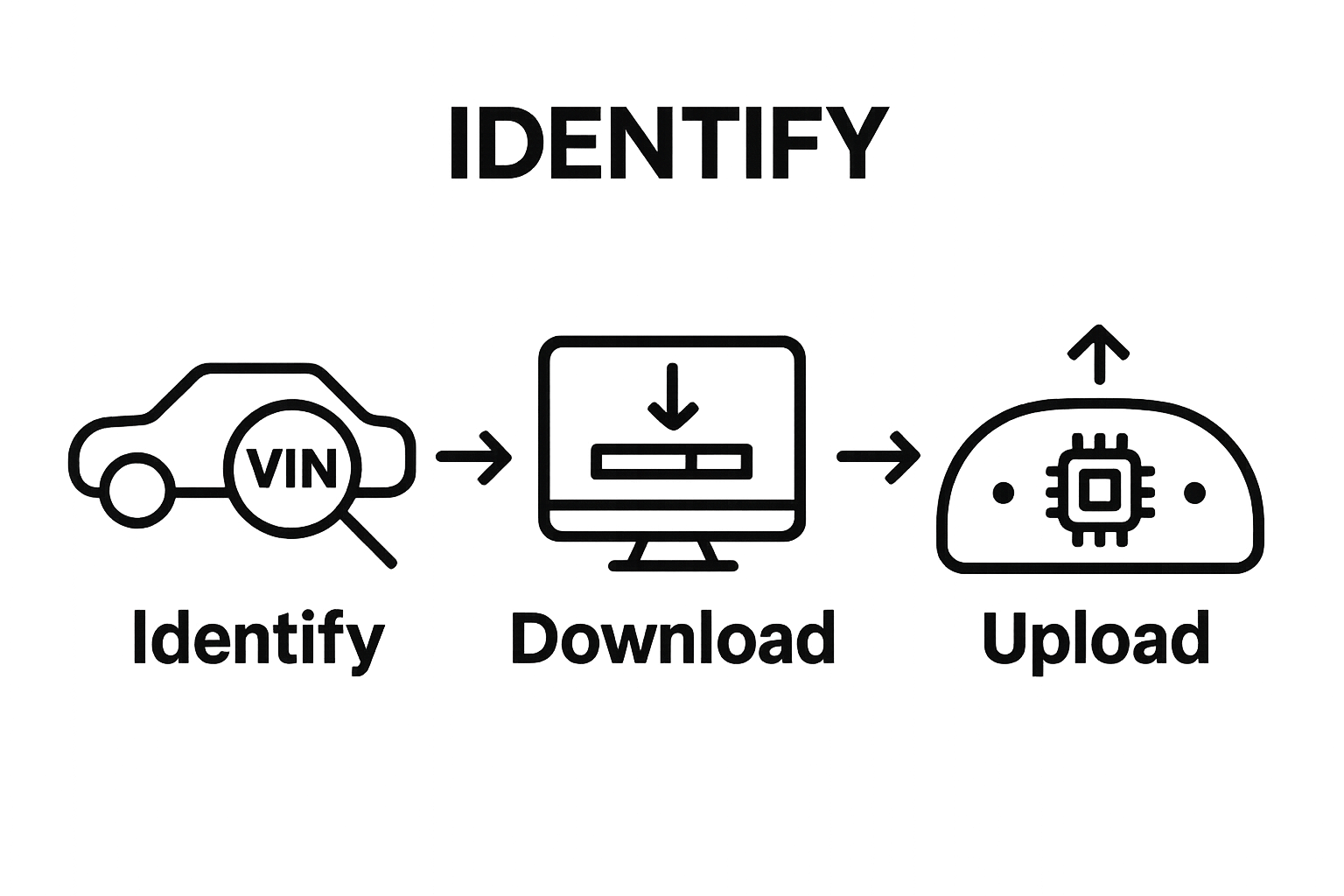
Step 5: Upload the ECU File to Your Vehicle’s System
Uploading your carefully selected ECU file represents the most critical and potentially risky phase of the tuning process. This step transforms digital data into actual vehicle performance modifications, requiring precision, patience, and technical expertise. Professional automotive tuners understand that a single misstep during upload can compromise your vehicle’s entire electronic system.
Prepare your vehicle and diagnostic equipment with meticulous attention to detail. Connect your vehicle diagnostic interface directly to the OBD-II port, ensuring a stable and secure connection. Some vehicles might require additional specialized adapters or connection protocols depending on their specific electronic architecture. Verify that your vehicle’s battery is fully charged and maintain a consistent power supply throughout the upload process to prevent potential interruption or data corruption.
Before initiating the file upload, perform a comprehensive system diagnostic to confirm your vehicle’s current electronic state. Create a complete backup of the original ECU configuration as a safety measure, allowing you to restore the factory settings if complications arise. Select the downloaded ECU file within your tuning software, carefully matching the file’s specifications with your vehicle’s exact make, model, and firmware version. Professional tuners recommend performing this process in a controlled environment with minimal electronic interference.
learn more about the intricate workings of automotive ECU systems to understand the complexity of this process. When uploading your ECU file, pay strict attention to these critical verification points:
- Stable diagnostic interface connection
- Fully charged vehicle battery
- Precise file version matching
- Uninterrupted upload process
- Immediate post upload system diagnostic
After completing the upload, conduct a thorough system diagnostic to verify successful file integration. Monitor your vehicle’s performance carefully during the initial driving periods, watching for any unusual behavior, warning lights, or performance inconsistencies. Professional tuners recommend gradually testing the modified ECU configuration under controlled conditions, allowing sufficient time to assess the full impact of your modifications.
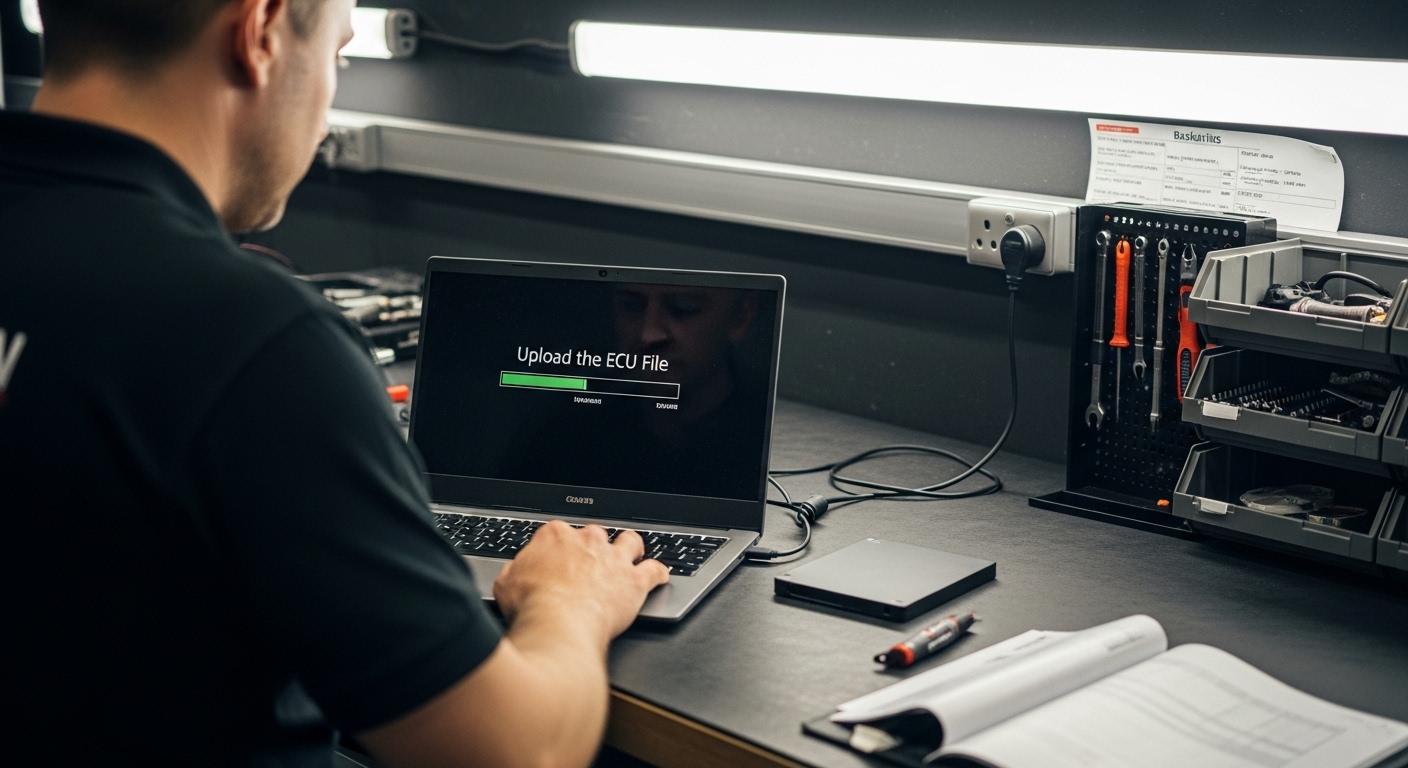
Step 6: Verify the Upload and Test Vehicle Performance
Verifying your ECU file upload represents the final and most critical stage of the tuning process. This step determines whether your modifications have successfully enhanced vehicle performance without compromising system integrity. Professional automotive tuners approach this phase with systematic precision, understanding that subtle electronic changes can dramatically impact overall vehicle behavior.
Conduct a comprehensive initial diagnostic scan immediately after the upload to confirm successful file integration. Connect your diagnostic tool and thoroughly examine all electronic systems, paying close attention to error codes, sensor readings, and overall electronic system stability. Look for any unexpected warning lights or performance indicators that might suggest incomplete or incorrect file installation. Professional tuners recommend running multiple diagnostic checks across different driving conditions to ensure complete system compatibility.
Begin performance testing with a gradual and controlled approach. Start with short, low stress driving scenarios that allow you to systematically assess the ECU modifications. Monitor critical performance parameters such as throttle response, fuel efficiency, acceleration characteristics, and engine temperature. Pay careful attention to any unusual sounds, vibrations, or unexpected behavioral changes that might indicate potential configuration issues. Professional tuners recommend keeping detailed logs of performance metrics during these initial test drives, documenting even minor variations from expected performance levels.
explore our comprehensive guide on understanding ECU system complexities to gain deeper insights into performance verification. When testing your modified vehicle, focus on these critical verification points:
- Consistent engine performance across various driving conditions
- Stable electronic system responses
- No unexpected warning indicators
- Maintained or improved fuel efficiency
- Smooth acceleration and power delivery
If any performance anomalies emerge during testing, immediately revert to the original ECU configuration. Professional tuners understand that successful modifications require patience, precise observation, and a willingness to make incremental adjustments. Document your findings meticulously, creating a comprehensive record of the upload process and subsequent performance characteristics.
Below is a checklist of critical verification steps to follow during the ECU file upload and testing phases to ensure safe and successful tuning outcomes.
| Verification Step | What to Check | Why It Matters |
|---|---|---|
| Backup Original ECU | Complete copy of factory ECU configuration | Allows restoration if issues occur |
| Match File Specifications | Ensure ECU file matches vehicle make, model, firmware | Prevents compatibility errors and system damage |
| Stable Connection | Diagnostic interface and battery power | Avoids upload interruptions and data corruption |
| Run Initial Diagnostic | Scan for error codes and system stability | Confirms successful upload and integration |
| Test Drive Performance | Throttle response, fuel efficiency, acceleration | Detects early performance issues |
| Monitor Warning Indicators | Look for unexpected lights or alerts | Identifies potential software conflicts |
| Document Outcomes | Keep records of changes and results | Facilitates troubleshooting if needed |
Unlock Safer Tuning with Verified ECU Files and Expert Support
Getting accurate, secure ECU files for your vehicle is not just about finding a download link. The article highlights the real risks of mismatched firmware, corrupted downloads, or unreliable sources. When one error can lead to performance problems or even vehicle damage, every detail matters. Like many enthusiasts, you want the confidence of original files, expert advice, and a seamless search—all without wasting precious time on questionable forums or generic file dumps.
If you are looking for 100 percent verified, original factory ECU files with transparent compatibility data and full tuning support, trust the professionals. ECUFlashFiles.com has spent over two decades building the most comprehensive collection for every make, model, and software version—tested, documented, and instantly available for professionals and enthusiasts alike. Take advantage of file integrity checks, expert tech support, and resources for recovery or remapping.

Ready to find the exact ECU file for your next tuning project? Access specialized search tools, secure downloads, and professional ECU file management solutions right now. Avoid costly mistakes. Choose ECUFlashFiles.com and move forward with confidence. Visit today for tested files and proven results.
Frequently Asked Questions
How do I identify my vehicle’s ECU model?
To identify your vehicle’s ECU model, locate your vehicle identification number (VIN) on the dashboard, inside the driver’s side door frame, or on vehicle registration paperwork. The VIN contains essential information that helps determine the correct ECU file for your vehicle.
What precautions should I take when downloading ECU files?
Before downloading ECU files, ensure your computer is secure by updating antivirus software and using a reliable firewall. Create a dedicated folder for the files, and use a VPN to protect your personal information during the download process. Always verify the file’s metadata and source before proceeding.
What should I consider when choosing tuning software for ECU modifications?
When selecting tuning software, check for compatibility with your vehicle’s make and model, ensure it has up-to-date firmware support, and look for robust technical support, user reviews, and an intuitive interface. Compatibility with diagnostic tools is also crucial for a seamless tuning process.
How can I verify if my ECU file upload was successful?
After uploading the ECU file, conduct an initial diagnostic scan to check for error codes and overall system stability. Monitor performance parameters like throttle response, fuel efficiency, and acceleration during test drives to confirm the modifications have been effective without causing issues.
Recommended
- ECU Tuning Files and Chiptune for Professional Car Tuning
- Damos Flash files – Ecu flash files
- Original ECU Backups – Stock ECU Files
- Chip tuning Abarth 500 312A1000 2008 – ECU Bosch BOSCH ME7.9.10 SW 51854166 / 400825
- Original file for Ecu File – BMW 123d Bosch Bosch EDC17CP02 Original ECU Flash Backup