
Workshop read guide
BMW 320d N47

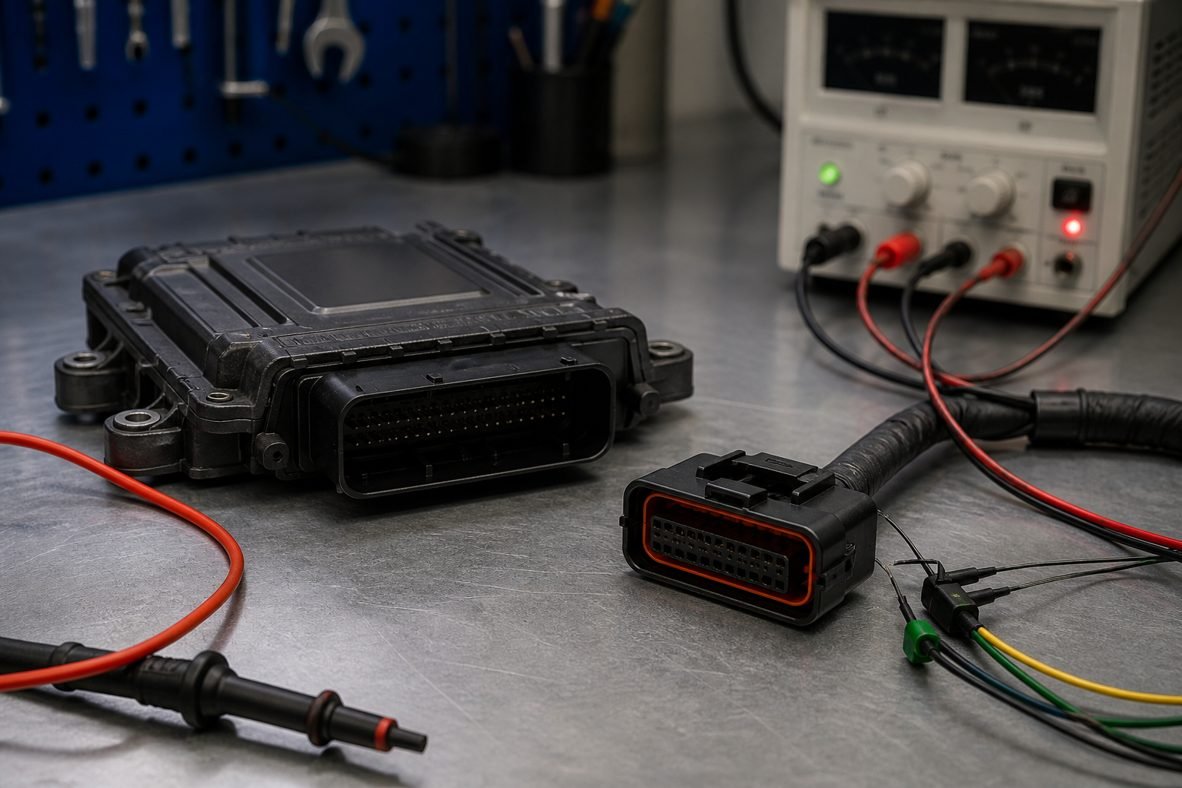
Key points: how to read EDC17C06 ECU
- Identify SW and HW on the EDC17C06 label before any OBD, bench or boot session.
- If OBD is greyed out or silent, move to bench then boot — do not force a write.
- Archive two matching reads. Search ecuflashfiles.com by software number, not by engine code.
The EDC17C06 is a Bosch diesel ECU — EDC17C06 (Infineon Tricore) used on BMW N47 / N57 EDC17. This page is a read-and-identify guide for workshops that need a virgin dump, a clone or a starting file before a remap. It is not a pin-for-pin copy of any one tool’s screenshot.
Pinouts and protocols vary by hardware revision. Always open the official diagram inside your tool for this exact Bosch / Continental / Delphi / Denso number before you apply power. A wrong connector orientation or a guessed boot pin is a common way to kill a healthy ECU.
EDC17C06 technical overview
| Parameter | Detail |
|---|---|
| ECU manufacturer | Bosch |
| ECU family | EDC17C06 |
| Fuel | diesel |
| Platform | Infineon Tricore |
| Common applications | BMW N47 / N57 EDC17 |
| Typical access | OBD, bench, boot / BDM |
| Original files | ecuflashfiles.com (virgin dump when listed) |
| Remap / deletes | ecufilemarket.com after you upload the original |
Bosch EDC17 Tricore diesel. Confirm the exact protocol in your tool for this car — some need bench or boot even when OBD is listed.
How to identify the ECU before you connect
Photograph the label. Save the manufacturer number, the vehicle part number, the software number and the hardware number. Those four strings decide the protocol. Two ECUs that look identical can need different boot pins.
- Bosch / Continental / Delphi / Denso number on the sticker
- Vehicle OEM part number
- Software number (SW) and hardware number (HW)
- Connector count and housing colour
- Whether the car still communicates on OBD
OBD, bench and boot — which one first?
OBD
Use OBD only when the car still talks, voltage is stable and the tool lists a real protocol for this EDC17C06. Never write on OBD after a failed attempt that already dropped the ECU offline — switch to bench or boot.
Tools recorded for OBD on this family: Alientech KESS3, Alientech KESS V2, Autotuner, Magic Motorsport Flex, PCMFlash and CMD Flash.
Bench
Bench means the ECU is on the table, powered from a PSU, talking CAN or K-line through the vehicle connector. It is the default path when OBD is locked, slow or missing, and for a full backup before you clone.
Tools recorded for bench: Alientech KESS3, Alientech K-TAG, Autotuner, Magic Motorsport Flex, PCMFlash and CMD Flash.
Boot / BDM
Boot (or BDM / JTAG / GPT, depending on the silicon) is the recovery mode. You open the case, follow the tool’s PCB diagram, and talk to the processor when the vehicle protocol is dead. Read first. Write the verified original second.
Tools recorded for boot: Alientech K-TAG, Autotuner, Magic Motorsport Flex, PCMFlash, CMD Flash and BitBox.
Typical EDC17C06 bench signals
Tricore EDC17 is a CAN ECU on the car. Bench looms still need stable +12V, several grounds, CAN-H/CAN-L and, for recovery, the boot pin shown in the tool.
| Signal | Workshop note |
|---|---|
| Battery +12V | Stabilised PSU, typically 13.5–14.2 V, fused. Do not rely on a weak car battery. |
| Ground | Connect every ground the tool diagram shows. One missing GND is a classic no-comm. |
| Ignition / 15 | Only after the loom is complete. Switching IGN early with floating CAN is how ECUs brick. |
| CAN-H / CAN-L | Twisted pair on the bench. Swap these two pins and the tool will sit on timeout. |
| BOOT / BDM / GPT | Recovery only. The pad or pin is unique to the PCB. Copy it from the tool, never from a forum photo of a different hardware. |
Safe reading procedure
- Confirm SW/HW and pick the protocol that matches both, not just the family name.
- Set the PSU to 13.8 V with enough current headroom; watch the ammeter while the tool connects.
- Read twice. The two dumps must match before you archive the file as original.
- Store the file with SW, HW, VIN if present, and the tool log.
- Do not write anything until the original is saved off the laptop as well as in the tool.
When the ECU no longer answers
A silent EDC17C06 after an interrupted OBD write is a brick, not a ‘try another OBD tool’ job. Open the case, use boot, and flash a verified original from ecuflashfiles.com when that SW exists in the library — or the dump you took before the job. Then check immobilizer / EEPROM data before the ECU goes back in the car.
Related files
Search ecuflashfiles.com for original EDC17C06 dumps by software number. Custom Stage 1 and delete work for the same car is a separate upload on ecufilemarket.com.
Original dumps sold on ecuflashfiles.com are for restore, comparison and workshop use. Stage 1 and delete work belongs on ecufilemarket.com. In some regions DPF off, EGR off, OPF / GPF off, SCR / AdBlue and even Stage 1 may be used only on off-road and competition cars. Confirm the law where the vehicle is registered.
FAQ: how to read EDC17C06 ECU
Should I read a EDC17C06 on OBD first?
Only when the tool lists a working OBD protocol for this SW/HW. Otherwise start on the bench. See how to read EDC17C06 ECU.
What if the ECU no longer answers on OBD?
Stop. Power down. Open the unit and use the boot procedure in your tool. Repeating OBD is how PCR2.1 and SID units stay silent.
Is a remap file the same as an original?
No. Originals are sold here. Stage 1 and deletes are quoted on ecufilemarket.com after you upload the dump you just read.